


Introduction
Your Emirates ID status is the single most important piece of information after you apply for, renew, or replace your Emirates ID card. Whether you’re waiting for a new card, tracking a renewal, or confirming an urgent replacement, knowing how to check your ID status quickly and securely saves time and avoids unnecessary trips to service centres. This 2025 guide walks you through every official and reliable method — website, mobile app, SMS, phone, and in-person options — plus tips for common issues and next steps.
1. 🔍 Step 1 — Use the Official ICP Website to Check Emirates ID Status
The fastest official way to check your Emirates ID status is the Federal Authority for Identity, Citizenship, Customs, and Port Security (ICP) portal.
- Visit the ICP “ID Card Status” page (icp.gov.ae/en/id-card-status/).
- Enter one of the accepted identifiers:
- PRAN (Personal Registration Acknowledgement Number) for new applications.
- Emirates ID number (IDN) for renewals/replacements.
- Passport number (in some search options).
- Complete any verification (date of birth or nationality) and submit.
- The portal returns the current ID status (e.g., Pending, Under Production, Issued, Delivered).
Tip: Keep your PRAN or application receipt handy — it’s the most reliable key for early application tracking.

2. 📱 Step 2 — Check Emirates ID Status via the ICP Mobile App
ICP provides a mobile app (available on Google Play, Apple App Store, and Huawei AppGallery) that mirrors many web services.
- Download and install the ICP Smart Services / UAEICP app.
- Register or log in using UAE PASS or your Emirates ID number.
- Navigate to “ID Card Services” → “Check Application Status”.
- Enter PRAN or Emirates ID number, then view the Emirates ID status and delivery details.
The app also shows notifications — useful if your ID status updates while you’re out.
3. ✉️ Step 3 — Check Emirates ID Status by SMS
If you prefer a simple SMS check, use the official ICP SMS service:
- Send:
Eto 4488 (short code) from within the UAE.EmiratesIDNumber - Example:
E 784-1999-0000000→ Send to 4488. - You will receive an automated SMS with your current Emirates ID status.
Note: Charges may apply depending on your mobile operator. SMS is ideal for quick checks without internet access.
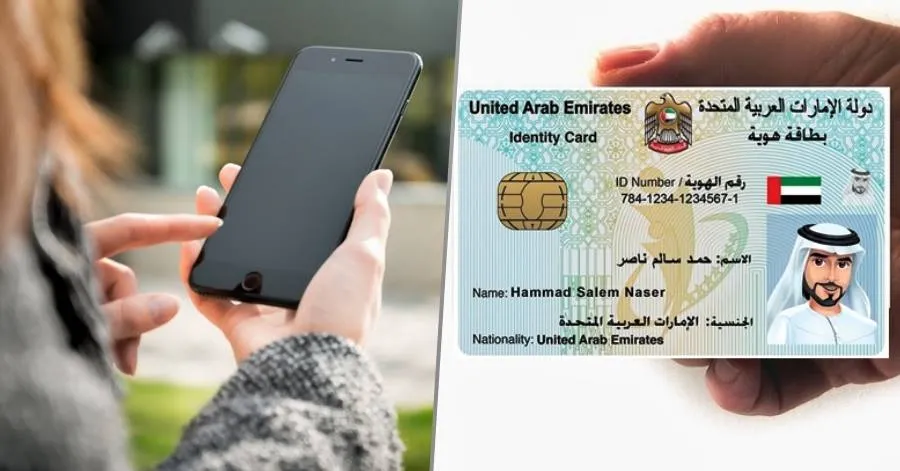
4. ☎️ Step 4 — Check Emirates ID Status by Calling ICP Customer Service
Prefer talking to someone? ICP customer service can confirm your Emirates ID status over the phone.
- Call ICP helpline: 6005 30003 (within UAE).
- Outside the UAE: use the international contact numbers listed on the ICP website.
- Prepare: Emirates ID number, PRAN or passport number, and personal details for verification.
Customer service can also advise on delivery times, missing biometric appointments, or next steps if your Emirates ID status shows delays.
5. 🧾 Step 5 — Track Delivery and Collection (What Each Emirates ID Status Means)
Understanding the common statuses will reduce confusion:
- Pending / Under Review — Application received; initial checks in progress.
- Under Production — Card being processed at the printing/encoding centre.
- Published / Issued — Card printed and ready; the Emirates ID status may now show a release or delivery stage.
- Out for Delivery / With Courier — Expect SMS with tracking and collection details.
- Delivered / Collected — Card delivered to the requested address or picked up at a service centre.
If the Emirates ID status shows Issued but you don’t receive the card, check with the courier or ICP immediately.
6. 🛠️ Step 6 — Troubleshooting Common Emirates ID Status Issues
If your Emirates ID status shows delays or errors, try these steps:
- Double-check PRAN/IDN and passport numbers for typos.
- Confirm any outstanding biometric appointment — missed biometrics often pause processing.
- Check SMS and email filters (sometimes automated messages land in spam).
- If the status hasn’t changed for several weeks, call ICP or visit a typing centre for support.
- For urgent needs, consider the ICP “Fawri” (urgent) service if eligible — it speeds issuance for an extra fee.
Always keep copies of receipts and application confirmations — they help resolve disputes about the Emirates ID status quickly.
7. 🔐 Step 7 — Secure Ways to Verify Emirates ID Status for Employers & Third Parties
Employers, typing centres, and government entities often need to verify an employee’s Emirates ID status.
- Use ICP’s official business and verification services available on the website or via secure API integrations (for enterprise users).
- Employers can request status checks using the Emirates ID number and confirm delivery or validity.
- For legal or HR records, download the status confirmation or record the reference ID shown when you check the Emirates ID status.
Caveat: Always use authorized channels to avoid misuse of personal data.

8. 🔄 Step 8 — Renewals, Replacements, and How They Affect Emirates ID Status
Renewals and replacements follow similar tracking paths but have their own nuances:
- Renewals after visa changes: your Emirates ID status can only be updated after the residence visa is renewed — expect a short delay.
- Replacement for lost/damaged cards: application creates a replacement PRAN; track using that new reference to see the updated Emirates ID status.
- Late renewals may attract fines — check the ID status early to avoid penalties.
If your residence visa is renewed but the Emirates ID status has not been updated, contact ICP with both visa and ID references.
Conclusion
Checking your Emirates ID status in 2025 is straightforward when you use official channels: the ICP website, the ICP mobile app, SMS, or the helpline. Always rely on ICP’s official services (icp.gov.ae) for the most accurate and secure updates.
Keep your PRAN, Emirates ID number, and passport details handy; they’re the keys to fast tracking. If something goes wrong, ICP customer service and accredited typing centres can help resolve issues quickly. With these methods and tips, you’ll always know exactly where your Emirates ID is in the process.
Quick Checklist
- Have your PRAN or Emirates ID number ready.
- Try the ICP website first.
- Use the ICP app for mobile notifications.
- SMS 4488 for instant updates.
- Call 6005 30003 for personalised help.
- Keep biometric appointment info handy.
- For employers, use official verification services.
External links (official & useful)
- Recent guide — Gulf News: How to check Emirates ID application status (2025)
- ICP — ID Card Status (Official)
- ICP — Home (Official)
- UAE Official Portal — Emirates ID information
- UAE Official Portal — Track visa & Emirates ID applications
Also Read: How to Check if You Have a Travel Ban in the UAE — Official 2025 Guide